
Have you ever been asked to arrange numbers from smallest to largest and wondered what that process is called? Whether you’re solving a math problem, sorting data in Excel, or organizing information in a database, you’ve likely encountered the concept of ascending order.
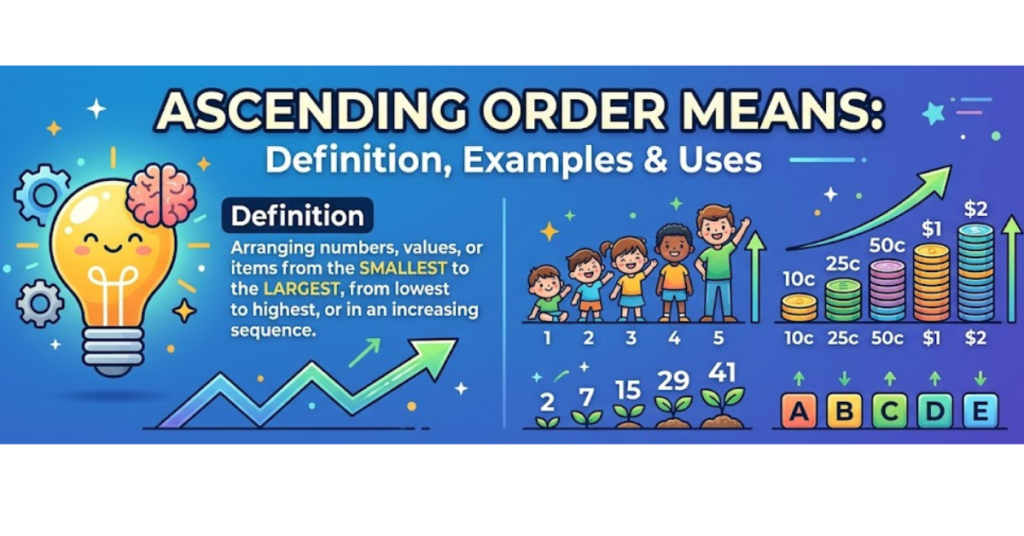
Simply put, ascending order means arranging items from the lowest value to the highest value. It’s one of the most fundamental sorting methods used in mathematics, education, data analysis, finance, and everyday life.
In this guide, you’ll learn the exact meaning of ascending order, how it differs from descending order, practical examples, common mistakes to avoid, and why it matters in both academic and real-world settings.
What Does Ascending Order Mean?
Ascending order means arranging numbers, letters, dates, or other data from the smallest, earliest, or lowest value to the largest, latest, or highest value.
The term “ascending” comes from the idea of moving upward or increasing gradually.
Examples of Ascending Order
Numbers
5, 12, 18, 24, 39
The numbers increase from the smallest to the largest.
Alphabetical Order
Apple, Banana, Cherry, Orange
The words are arranged from A to Z.
Dates
January 2024, June 2024, December 2024, March 2025
The dates progress from earlier to later.
Understanding Ascending Order with Simple Examples
Let’s look at a few examples to make the concept crystal clear.
Example 1: Sorting Numbers
Given numbers:
45, 12, 89, 3, 27
Ascending order:
3, 12, 27, 45, 89
The smallest number comes first, followed by increasingly larger numbers.
Example 2: Sorting Decimals
Given:
2.5, 1.2, 3.8, 0.9
Ascending order:
0.9, 1.2, 2.5, 3.8
Example 3: Sorting Negative Numbers
Given:
-2, -10, 5, 0, 8
Ascending order:
-10, -2, 0, 5, 8
Remember that among negative numbers, the number farther from zero is smaller.
Ascending Order vs Descending Order
Many people confuse ascending and descending order. Understanding the difference is essential.
| Ascending Order | Descending Order |
| Smallest to largest | Largest to smallest |
| Increasing values | Decreasing values |
| A to Z | Z to A |
| Earliest to latest | Latest to earliest |
Example
Numbers:
15, 3, 40, 22
Ascending Order:
3, 15, 22, 40
Descending Order:
40, 22, 15, 3
A simple way to remember it is that ascending goes “up,” while descending goes “down.”
Where Is Ascending Order Used?
Sorting information in ascending order is common across many fields.
Education
Students use ascending order when:
- Solving math exercises
- Comparing numbers
- Learning number sequences
- Organizing data tables
Business and Finance
Companies sort:
- Sales figures
- Inventory counts
- Transaction records
- Financial reports
Technology and Databases
Software applications frequently sort data in ascending order to improve usability.
Examples include:
- Spreadsheet programs like Microsoft Excel
- Database systems
- Search results
- Customer records
Everyday Life
People use ascending order without realizing it when:
- Organizing books
- Arranging appointments by date
- Sorting contacts alphabetically
- Managing task lists
How to Arrange Numbers in Ascending Orders
Following a simple process can make sorting easy.
Step 1: Identify All Values
List the numbers clearly.
Example:
19, 7, 25, 2, 14
Step 2: Find the Smallest Number
The smallest value is 2.
Step 3: Continue Selecting the Next Smallest
The sequence becomes:
2, 7, 14, 19, 25
Step 4: Verify the Sequence
Check that each number is larger than the one before it.
Ascending Orders in Mathematics
Mathematics relies heavily on arranging values correctly.
Comparing Numbers
Sorting numbers helps students understand:
- Greater than (>)
- Less than (<)
- Equal to (=)
Number Patterns
Many mathematical sequences follow ascending patterns.
Example:
1, 2, 3, 4, 5
This sequence increases steadily.
Data Analysis
Statistical calculations often begin by arranging data in ascending order.
This makes it easier to determine:
- Median
- Range
- Percentiles
- Quartiles
Ascending Orders for Letters and Words
Ascending order isn’t limited to numbers.
Alphabetical Ascending Orders
Words are arranged from A to Z.
Example:
- Ant
- Bird
- Cat
- Dog
- Zebra
Why Alphabetical Sorting Matters
It helps people:
- Locate names quickly
- Search dictionaries
- Organize files
- Browse catalogs efficiently
Ascending Orders in Computer Applications
Modern software uses sorting algorithms to organize information.
Excel
Users can sort:
- Numbers from smallest to largest
- Text from A to Z
- Dates from oldest to newest
Databases
Businesses often display records in ascending orders to simplify searches and reporting.
E-Commerce Websites
Products may be sorted by:
- Lowest price first
- Earliest release date
- Customer ratings
These are practical examples of ascending sorting methods.
Common Mistakes When Using Ascending Orders
Even simple sorting tasks can lead to errors.
Ignoring Negative Numbers
Incorrect:
-2, -10, 0, 5
Correct:
-10, -2, 0, 5
Confusing Ascending with Descending
Always remember:
- Ascending = increasing
- Descending = decreasing
Overlooking Decimals
Incorrect:
2.5, 2.05, 3.1
Correct:
2.05, 2.5, 3.1
Misreading Dates
Ensure dates are compared chronologically, not just by day numbers.
Benefits of Using Ascending Orders
Organizing information from low to high offers several advantages.
Better Clarity
Data becomes easier to understand.
Faster Decision-Making
Users can quickly identify minimum values and trends.
Improved Data Analysis
Sorted information helps reveal patterns and relationships.
Enhanced Organization
Whether in school, business, or personal life, ordered information is easier to manage.
Practical Tips for Sorting in Ascending Orders
To avoid mistakes:
- Compare values carefully.
- Start with the smallest item.
- Double-check decimals and negative numbers.
- Use spreadsheet sorting tools when handling large datasets.
- Verify that every value increases as you move through the list.
These simple habits improve accuracy and efficiency.
Key Takeaways
- Ascending orders means arranging data from the smallest value to the largest value.
- It applies to numbers, letters, dates, and many other types of information.
- Ascending orders is the opposite of descending orders.
- It is widely used in mathematics, business, technology, and everyday organization.
- Proper sorting improves readability, analysis, and decision-making.
Frequently Asked Questions
What is the simple meaning of ascending orders?
Ascending orders means arranging items from the lowest value to the highest value. For numbers, it means smallest to largest; for words, it means A to Z.
Is ascending orders smallest to largest?
Yes. In mathematics and data sorting, ascending orders always moves from the smallest number to the largest number.
What is an example of ascending orders?
If the numbers are 9, 2, 15, and 6, the ascending sequence is 2, 6, 9, 15.
What is the difference between ascending and descending orderd?
Ascending orders increases from low to high, while descending orders decreases from high to low.
Are dates arranged in ascending orders from oldest to newest?
Yes. When sorting dates in ascending orders, the earliest date appears first and the latest date appears last.
Can words be arranged in ascending orders?
Yes. Words are placed in alphabetical order from A to Z, which is considered ascending order for text.
Conclusion
Understanding what ascending order means is essential for organizing and interpreting information effectively. Whether you’re sorting numbers in a classroom, arranging records in a database, or managing data in a spreadsheet, ascending order helps create structure and clarity.
By remembering that ascending order moves from the smallest, earliest, or lowest value to the largest, latest, or highest value, you’ll be able to sort information accurately and confidently. Apply these principles whenever you organize data, and you’ll find tasks become faster, clearer, and more efficient.