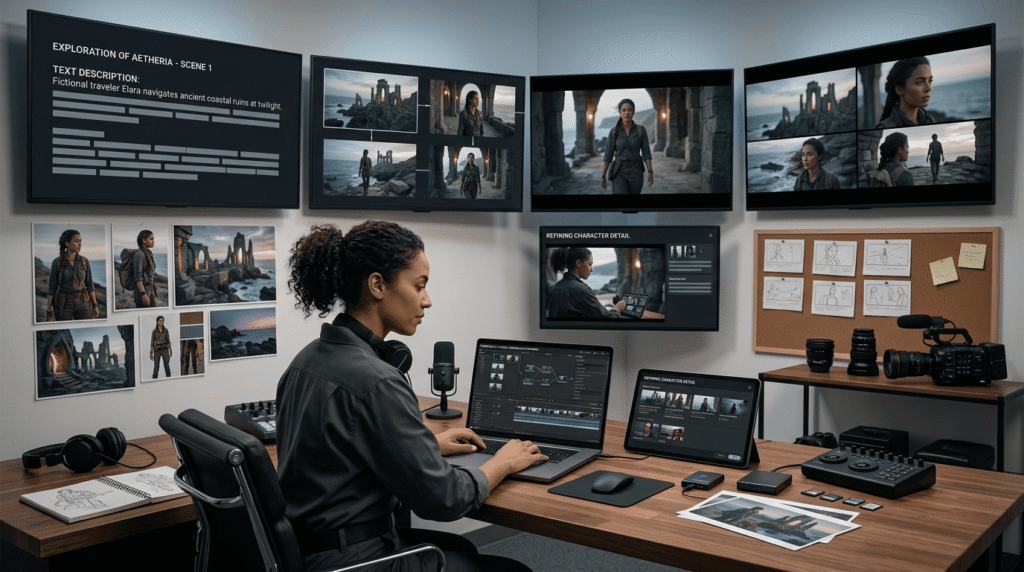
A few years ago, making a fifteen-second video meant a camera, a location, someone to film and someone to edit. Today it can mean a description, a handful of photographs and a few minutes of waiting.
That shift happened faster than most people noticed, and the models behind it have moved from producing strange four-second curiosities to producing clips with sound, continuity and a recognisable subject.
Seedance 2.0, now integrated into creative workflows by Higgsfield, built by ByteDance, is one of the models that made that jump. It generates fifteen seconds in a single continuous take, produces the audio alongside the picture, and works from photographs you supply so the result features your subject rather than a generic one.
This covers what it makes, what people actually use it for, how to get good results, and where to try it.
What is Seedance 2.0?
A video generation model, released by ByteDance in early 2026, that produces short finished clips from a written description and supporting material.
The short version of how it works is that it starts from visual noise and refines it step by step toward whatever you described, in the same family of methods that produces AI images. The difference with video is that it has to make every frame agree with every other frame, which is the hard part and the reason video models arrived years after image models.
What makes Seedance 2.0 notable is that it produces its fifteen seconds in one continuous generation rather than stitching shorter pieces together. Everything stays consistent across the whole clip the same person, the same lighting, the same setting with no visible join where two attempts were glued.
What does it actually produce?
More than the picture, which is the part that surprises people.
Fifteen seconds in a single take. Seedance 2.0 gives you long enough for an idea with a beginning and an end rather than a moment.
Sound generated with the picture by Seedance 2.0, not added afterwards. Voices, music and effects, across more than ten languages, with mouth movement matching the speech.
Multiple shots within one clip, so a piece can move between angles or scenes while staying part of the same generation.
A range of shapes from Seedance 2.0 widescreen, vertical for phones, square for feeds which matters because almost everything gets posted somewhere with a preferred format.
And targeted changes after the fact. One element can be adjusted a background, an object, the music while the rest of what you approved stays exactly as it was.
Why does working from your own photos matter?
Because it is the difference between a video of somebody and a video of a stranger who resembles them.
Seedance 2.0 accepts up to twelve reference files photographs, short clips, audio that anchor the result. Supply pictures of a person, a place or a product and the generated video features those rather than an invention.
This changes what the tool is good for entirely. A model that only works from text descriptions makes attractive but generic footage. A model that builds around your own material makes footage about your subject.
For anyone with something specific in mind a shop, a product, a pet, a family member who agreed to it, a place they know the references are where most of the quality comes from. The description sets the scene; the photographs decide who and what is in it.
What do people use it for?
A fairly predictable set, and knowing it helps you judge whether the tool is for you.
Social posts where a short video outperforms a still image, which on most platforms is now everything.
Small business promotion a shop, a cafe, a service where hiring a crew was never realistic.
Product and launch content for people selling something online.
Announcements, from a new opening to a personal milestone, where a short clip carries more than a written post.
Explaining something visually that is awkward to describe in words.
And creative work, where the point is simply to make something that did not exist before.
The common thread is people who want video and previously had only their phone camera as a route to it. Seedance 2.0 sits in that gap.
Where can you use it?
Through platforms that carry the model rather than directly from ByteDance, for most people.
Higgsfield is one of those platforms, and the most practical route for anyone who wants to work with Seedance 2.0 rather than integrate it. It runs in a browser, handles all the processing power required, and puts the model alongside a set of tools built around it.
The alternative is provisioning your own infrastructure and working through an interface built for developers, which is the right choice for a very small number of people and an obstacle for everybody else.
What does Higgsfield add?
Higgsfield is an AI creative suite, meaning it carries a range of generation and editing models together with a workspace built around them. For somebody using Seedance 2.0, several things about that workspace matter as much as the model.
Nothing to install and nothing to run. Video generation needs serious computing power. Higgsfield provides it, so the whole thing happens in a browser tab on an ordinary laptop or phone.
Your reference files stay organised. The photographs and clips that anchor your videos live with the project rather than needing re-uploading each time. Since references are where most of the quality comes from, having them to hand changes how quickly you can try a second version.
A look you can keep. When a result works, Higgsfield saves the description and settings that produced it. The next video starts from that rather than from an empty box, which is how a series of clips comes to look like they belong together.
Every attempt kept side by side. Generation varies between runs, so producing three and choosing is normal practice. Higgsfield keeps them together rather than leaving you to remember which was which.
Formats produced together. The vertical cut for stories, the square for feeds, the widescreen for a website exported from one approved clip rather than generated separately.
Editing in the same place. Trimming, adjusting and finishing happen alongside the generation, so a finished piece does not require a second application.
And other models in the same account. Seedance 2.0 sits beside competing video models and image tools on Higgsfield, which means trying a different model for a different job is a menu choice rather than another subscription.
What that adds up to in practice is that the distance between having an idea and having a finished clip collapses to somewhere around ten minutes. Open the browser, pull in the photographs already attached to the project, adjust the description that worked last time, generate three versions, pick one, export it in the two shapes you post to.
None of those steps is difficult on its own. What made video hard for most people was that there were a dozen of them, spread across different tools, each with its own learning curve, and the whole chain had to be completed before anything existed. Higgsfield collapses the chain into one place, and Seedance 2.0 handles the part in the middle that used to require a camera and a crew.
The compounding matters more than the first clip. A saved look, an organised set of references and a working description mean the tenth video costs almost nothing in effort. That is the point at which people stop treating this as an experiment and start treating it as how they make video.
How do you write a good description?
Specifically, and with the scene rather than the technique.
Describe what is in the shot. The subject, the setting, the time of day, the weather. Concrete details produce concrete results.
Say what moves. Video is motion, and a description that mentions movement walking, turning, light shifting, steam rising gives the model something to work with.
Name the mood. Warm morning light, overcast and quiet, bright and busy. Mood shapes the whole clip more than any individual detail.
Mention the camera simply. Close on a face, wide across a room, slowly moving forward. Plain language works better than film terminology.
Describe the sound you want. Since Seedance 2.0 generates audio alongside the picture, naming the sounds in order gives you something usable rather than something generic.
And supply photographs for anything specific. This is worth repeating because it is the single biggest factor. A description makes a scene; a reference makes it yours.
What does a first session look like?
Short, and more productive than people expect.
Pick something you actually want. A clip for a real post or a real purpose beats an experiment, because you will judge it properly.
Gather two or three photographs of the subject, place or product.
Write two or three sentences describing the scene, the movement and the mood.
Generate three Seedance 2.0 versions. Variation between runs is normal and the third attempt is frequently the best.
Pick one and adjust it rather than starting over. Targeted changes are quicker than fresh generations.
Export in the shape you need, which Higgsfield produces from the same clip.
Save what worked. The second video takes a fraction of the time of the first, and that is where the tool starts being useful rather than interesting.
What should you film yourself alongside it?
Worth thinking about, because the strongest results usually mix the two.
Your own footage covers the real. The actual shop, the actual product in someone’s hands, the actual person speaking. A phone captures those perfectly well and they carry a credibility that nothing else provides.
Seedance 2.0 covers the rest. The establishing shot you never got, the seasonal version of a scene you filmed in summer, the atmospheric opening, the variant for a different audience, the localised cut.
The two work together in one piece. A short clip that opens on generated atmosphere and cuts to real footage of the thing itself reads better than either on its own, and it is how most people settle after a few weeks of using these tools.
And your own footage makes better references. A short clip of your subject supplied to Seedance 2.0 anchors the generation more strongly than a still photograph, because it carries movement and angle as well as appearance.
The practical habit worth building: keep filming ordinary things on your phone. Thirty seconds of your workspace, your product, your street. That material becomes the reference library that makes everything you generate specific to you.
How do access and cost work?
Straightforwardly.
Higgsfield operates a free tier, which covers enough generations to find out whether the results suit what you have in mind before spending anything.
Paid plans handle volume and larger output, which becomes relevant if you are producing regularly rather than occasionally.
Cost varies with length and resolution, since those determine how much computing the generation requires. Shorter and smaller goes further, which is worth knowing while you are still experimenting.
Everything runs in a browser, so there is no software to buy and nothing to install.
And the terms for each plan are published, which is worth reading if your videos are going somewhere public or commercial.
Where does it sit alongside other models?
Comfortably, and the honest answer is that different models suit different jobs.
Seedance 2.0 is strong on continuity and on working from references, which makes it a good fit when the video needs to feature a specific person, place or product and hold together across the full clip.
Its own successor extends the same approach, producing thirty seconds in one take with a larger reference capacity, for anyone who needs the longer form.
Other models lead in other directions some on photorealism, some on stylised and illustrated output, some on very short cinematic shots.
Which is the practical case for a platform carrying several. Running the same idea through two models and comparing takes ten minutes on Higgsfield and tells you more than any published comparison, because it answers the question about your material rather than somebody else’s.
Where should you start?
With one clip you have an actual use for.
Choose the subject. Find two or three photographs of it. Write a few sentences describing the scene, what moves in it, and how it should feel. Generate three versions on the free tier, pick the one that works, and post it.
That takes an evening at most, and it answers the question that reading about these tools never quite does whether the output is good enough for what you personally want to make.
Seedance 2.0 through Higgsfield is the quickest route to that answer, and the second clip is considerably faster than the first.
Final Thoughts
Fifteen seconds of video used to represent a day’s work and a small budget. It now represents a description, a few photographs and a short wait.
Seedance 2.0 makes that clip in one continuous take, with sound, built around material you supply so it features your subject rather than a stranger. Higgsfield provides the route to it free to start, nothing to install, with your references and your saved settings waiting for the next one.
Pick something you actually want to make. That is the fastest way to find out what it does.