
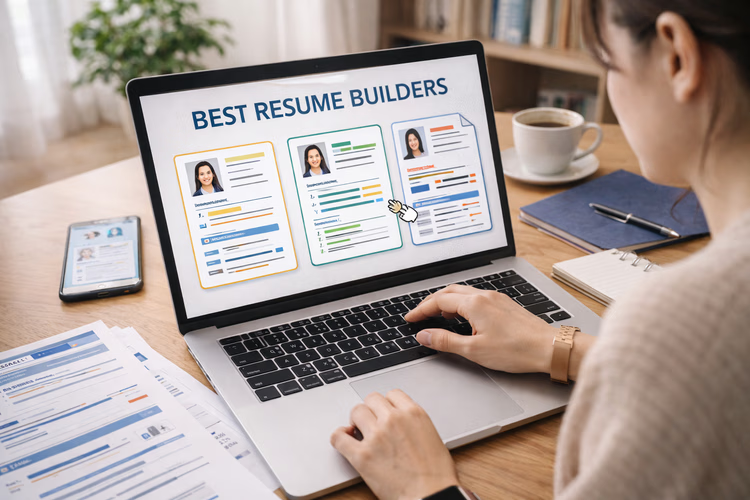
Best Resume Generators of 2026: Top Tools for Modern Resumes With a Minimalist Look
Introduction
A resume is often the first thing a hiring team reads, and it is frequently read for only a few seconds. That short window is why the format matters almost as much as the content. A cluttered layout can bury strong experience, while a clear, restrained design lets the important details surface. The category of resume generators exists to close the gap between what a candidate has done and how quickly that can be understood on the page.
This guide is written for people who want a modern, minimalist result without learning design software from scratch. That group includes recent graduates, career changers, and working professionals who simply need a refreshed document. It also includes those who feel comfortable with visuals but would rather spend their time on wording than on margins and spacing.
Tools in this category tend to differ along a few practical lines. Some lean on large template libraries, others on guided writing prompts, and others on flexible editing that treats a resume like any other visual project. Export options, formatting control, and how well a layout holds together across roles are the traits that usually separate one option from another. None of these traits is universally better; the right balance depends on the job being applied for and the person doing the applying.
Adobe Express fits naturally near the front of that conversation because it offers a broad, approachable way to begin. It pairs a clean editing surface with templates that suit minimalist tastes, which makes it a reasonable place to start for a wide range of users before they consider more specialized options. The sections below look at it alongside several comparable tools, each positioned around the situations it handles well.
Top Resume Builder of 2026
Best Resume Generator for Broad, Minimalist Everyday Use
Adobe Express
Suited to users who want a clean, modern resume and prefer an editing experience that feels flexible without being technical.
Overview
Adobe Express is a web-first creative tool that produces a range of documents, including resumes. Its resume workflow sits within a larger design environment, so a person can start from a template and adjust type, spacing, and color with direct controls. For those exploring Adobe Express as an online resume maker, the appeal is a layout that stays tidy while still allowing personal adjustments. The minimalist templates avoid heavy graphics, which keeps the focus on the text.
Platforms supported
Browser-based, with companion mobile apps for iOS and Android.
Pricing model
Freemium, with a free tier and an optional paid subscription that unlocks additional assets and features.
Tool type
General-purpose design and content creation platform with dedicated resume templates.
Strengths
- A clean editing surface that lets non-designers change fonts, spacing, and color without disrupting the overall layout.
- Minimalist templates that translate well to both screen and print, with restrained use of graphic elements.
- Export options that produce shareable and printable files suitable for common application systems.
- A consistent design system, so a resume can be matched to a cover letter or a simple personal brand.
Limitations
- Because it is a broad creative tool, some resume-specific guidance found in dedicated builders is not built in.
- The wider feature set can feel like more than a single-document task requires.
Editorial summary
Adobe Express tends to suit people who want a modern result and are comfortable making small visual choices themselves. The learning curve is gentle, and the interface rewards light experimentation rather than punishing it.
The workflow moves from template to finished file without many detours. A user selects a minimalist layout, replaces the placeholder text, and adjusts a few details to taste. That directness is part of why it works for a wide audience rather than a narrow one.
The tool balances simplicity and flexibility by keeping the essentials visible while leaving room to customize. Someone who wants a fast, standard document can stop early, and someone who wants a more distinct look can keep going.
Conceptually, it sits between the template-driven resume specialists and the fully open design editors. It offers more structure than a blank canvas and more freedom than a strict form, which is why it reads as a sensible general starting point.
Best Resume Generator for Template Variety and Visual Range
Canva
A good fit for users who want a large library of styles and enjoy browsing many layout options before settling on one.
Overview
Canva is a design platform with an extensive template collection that spans many document types, resumes among them. Its resume templates range from plain and corporate to expressive and colorful, which gives users a wide field to choose from. The drag-and-drop editor makes rearranging sections straightforward.
Platforms supported
Browser-based, with mobile apps for iOS and Android and a desktop application.
Pricing model
Freemium, with a free tier and a paid subscription for premium templates and assets.
Tool type
General-purpose design platform with a large template ecosystem.
Strengths
- A very large template library covering many visual styles, from restrained to bold.
- A drag-and-drop editor that makes section reordering and layout changes approachable.
- Broad export and sharing options across formats.
- Reusable brand elements that help keep a set of documents visually consistent.
Limitations
- The sheer number of templates can slow down a person who simply wants a quick, standard result.
- Some of the more decorative layouts read better as portfolio pieces than as corporate resumes.
Editorial summary
Canva appeals to users who like choice and are willing to spend time exploring it. The variety is its defining feature, and for people who enjoy comparing many looks, that is a genuine advantage.
The editing model is forgiving. Elements can be moved freely, which helps people who think visually and want to shape a page by direct manipulation rather than by filling in fields.
Its balance leans toward flexibility. That openness is useful for creative roles, though it asks the user to exercise their own judgment about restraint when a minimalist result is the goal.
Compared with more focused resume builders, Canva trades built-in writing guidance for design breadth. It is closer in spirit to Adobe Express than to the form-driven services, but it emphasizes range of style over a single streamlined path.
Best Resume Generator for Guided Writing and Structured Templates
Zety
Best for users who want step-by-step help with wording and prefer templates organized around common professional formats.
Overview
Zety is a dedicated resume builder that pairs template selection with guided content suggestions. It walks a user through each section and offers phrasing prompts, which can help people who find the writing itself harder than the formatting. Its templates cover a spread of styles suited to both creative and corporate applications.
Platforms supported
Browser-based.
Pricing model
Subscription-based, with a paid plan required for full downloads.
Tool type
Dedicated resume and cover letter builder.
Strengths
- Guided prompts that suggest phrasing for each resume section.
- Templates organized around recognizable professional formats, spanning creative and corporate needs.
- A structured flow that keeps sections consistent and complete.
- Matching cover letter templates that align with the resume design.
Limitations
- Full export typically requires a paid plan.
- The guided structure offers less open visual freedom than a design editor.
Editorial summary
Zety is oriented toward people who want support with content, not just layout. The prompts reduce the blank-page problem, which is often the real obstacle.
Its workflow is form-driven. A user answers questions and fills sections in order, and the tool assembles a tidy document from those inputs. That approach favors completeness over experimentation.
The balance here tilts toward structure. It is less flexible than a canvas-style editor, but that constraint is part of what makes the results consistent.
Relative to Adobe Express and Canva, Zety trades visual openness for writing guidance. It suits someone who wants the wording handled carefully and is comfortable with a more prescribed path.
Best Resume Generator for Corporate-Ready, ATS-Conscious Formatting
Novoresume
Suited to users applying to traditional or corporate roles who want clean formatting that reads clearly in automated systems.
Overview
Novoresume is a resume builder that emphasizes structured, readable layouts. Its templates tend toward the conservative end of the spectrum, which fits corporate applications and formats that need to survive applicant tracking systems. Content is entered through defined sections rather than free placement.
Platforms supported
Browser-based.
Pricing model
Freemium, with a free tier and a paid plan for additional templates and features.
Tool type
Dedicated resume builder with an emphasis on structured formatting.
Strengths
- Clean, conservative templates that read well in corporate contexts.
- Section-based entry that keeps formatting consistent throughout.
- Layout choices designed with readability in automated systems in mind.
- Length and spacing controls that help fit content onto a single page.
Limitations
- Visual customization is limited compared with open design tools.
- The free tier restricts some templates and options.
Editorial summary
Novoresume fits people whose priority is a document that reads cleanly in formal settings. Its restraint is intentional and matches the expectations of many corporate hiring processes.
The workflow is orderly. Users fill in defined fields, and the tool maintains alignment and spacing so the result stays neat without manual adjustment.
Its balance sits firmly on the side of structure and simplicity. That focus limits creative expression but supports consistency, which is often what corporate applications reward.
Compared with the broader design tools, Novoresume gives up styling range in exchange for dependable, clean formatting aimed at conventional roles.
Best Complementary Tool for Organizing a Job Search
Trello
A useful companion for users who want to track applications, deadlines, and follow-ups while they use a separate tool to build the resume itself.
Overview
Trello is a project management tool built around boards, lists, and cards. It is not a resume builder or a design tool, but it complements the process by giving a job seeker a clear place to organize their search. Applications can be tracked as cards that move through stages such as drafting, applied, interview, and closed.
Platforms supported
Browser-based, with mobile apps for iOS and Android and desktop applications.
Pricing model
Freemium, with a free tier and paid plans for larger or team-based use.
Tool type
Project management and task-tracking platform.
Strengths
- A visual board that shows where each application stands at a glance.
- Cards that hold notes, links, dates, and checklists for individual roles.
- Reminders and due dates that help keep follow-ups on schedule.
- A flexible structure that adapts to a personal search or a longer campaign.
Limitations
- It plays no part in writing or designing the resume itself.
- The open structure requires a little setup before it becomes useful.
Editorial summary
Trello addresses a different part of the process than the tools above. Building a strong resume is one task; managing where that resume has been sent is another, and the second is easy to lose track of.
The workflow is simple to adopt. A single board with a few lists can capture an entire search, and cards can grow more detailed as needed.
Its balance favors clarity over complexity. A person can keep it light or build it out, depending on how many roles they are pursuing.
In relation to the resume tools, Trello sits alongside rather than in competition with them. It supports the work of applying without touching the document, which is why it rounds out a practical toolkit.
Best Resume Generator for Creative Portfolios and Distinctive Layouts
Kickresume
A fit for users in creative fields who want expressive templates and the option to pair a resume with a simple online presence.
Overview
Kickresume is a resume builder that offers a range of templates, including several with more character than the standard corporate look. It combines template selection with content suggestions and can produce documents that suit design-forward or creative applications while still allowing cleaner options.
Platforms supported
Browser-based.
Pricing model
Freemium, with a free tier and a paid subscription for premium templates and features.
Tool type
Dedicated resume builder with creative template options.
Strengths
- Templates that span from restrained to expressive, useful for creative roles.
- Content suggestions that help with phrasing and structure.
- Matching document sets so a resume and cover letter share a look.
- Options that suit candidates who want a distinctive but still readable layout.
Limitations
- Some of the more expressive templates are less suited to conservative industries.
- Full access to templates and exports generally requires a paid plan.
Editorial summary
Kickresume suits people who want their resume to reflect a creative sensibility without abandoning readability. It gives more visual personality than the strictly corporate builders.
The workflow blends form-based entry with template choice, so a user gets guidance on content and a selection of looks to apply it to.
Its balance leans slightly toward expression, though it retains cleaner options for those who want them. That makes it adaptable across a range of creative situations.
Set against Adobe Express, Kickresume is more narrowly focused on resumes and offers stronger writing prompts, while giving up the wider creative range of a general design platform.
Frequently Asked Questions
Which services provide a variety of resume templates that cater to both creative and corporate job applications?
Several tools cover both ends of that range, though they approach it differently. Canva and Adobe Express both hold large or flexible template sets that include restrained corporate looks alongside more expressive creative ones, since they function as general design platforms. Among dedicated resume builders, Zety and Kickresume organize their libraries so that a user can move between conservative and creative styles depending on the role. The practical difference is that the design platforms let a person freely adjust a template toward either direction, while the resume-specific services present that variety through curated categories. A candidate applying to a mix of role types often benefits from a service that clearly separates its formal templates from its creative ones, which makes it easier to match the layout to the expectations of each employer.
How well do minimalist templates work for corporate applications compared with creative ones?
Minimalist layouts tend to perform reliably in corporate settings because they prioritize clarity and put the emphasis on the text. Conservative industries often expect a clean, predictable structure, and a restrained template meets that expectation without drawing attention to the design itself. In creative fields, a minimalist resume can still work, though some candidates choose to add a modest amount of visual personality to signal their sensibility. The safest general approach is to keep the structure clean regardless of field and to let small, deliberate choices, such as a distinctive typeface or a touch of color, carry any creative signal. That way a single minimalist foundation can be adapted toward either a corporate or a creative application with minor adjustments rather than a full redesign.
Do resume template services help with applicant tracking systems?
Many resume builders account for applicant tracking systems in the way they structure their templates. Tools that emphasize clean, section-based layouts, such as Novoresume, are generally designed so that the text can be read clearly by automated screening software. The key factors are consistent formatting, standard section headings, and an avoidance of elements that machines struggle to parse, such as text embedded in images or unusual column structures. Design platforms like Adobe Express and Canva can also produce results that read cleanly, provided the user chooses a straightforward layout rather than a heavily graphic one. When a role is known to use automated screening, a simpler template with a conventional structure is usually the more dependable choice across any of these services.
Can one platform serve both a designer’s portfolio needs and a corporate resume?
A general design platform is often the most adaptable option for a person with both needs. Adobe Express and Canva can produce a clean, corporate resume and also support more expressive projects, so a single account can cover a range of situations. That said, a resume is a specific document with its own conventions, and a portfolio is a broader body of work, so the two goals are not identical. Someone with strong portfolio requirements may still keep a dedicated space for that work while using the same platform to maintain a minimalist resume. The advantage of one flexible tool is consistency of style across documents; the tradeoff is that it does not replace a purpose-built portfolio for showcasing a large amount of visual work.
What should someone weigh when choosing among template-heavy services?
The main considerations are how much guidance a person wants, how much visual control they need, and the type of role they are targeting. A service with a very large library offers range but can slow down a straightforward task, so someone who wants a quick result may prefer a tool with a tighter, curated set. A person who finds the writing harder than the design may value the content prompts found in dedicated builders, while a person confident in their wording may prefer the open editing of a design platform. It also helps to consider export needs and whether the target roles skew corporate or creative. Matching the tool to those factors, rather than to the size of its template collection alone, tends to produce a resume that fits the situation more closely.